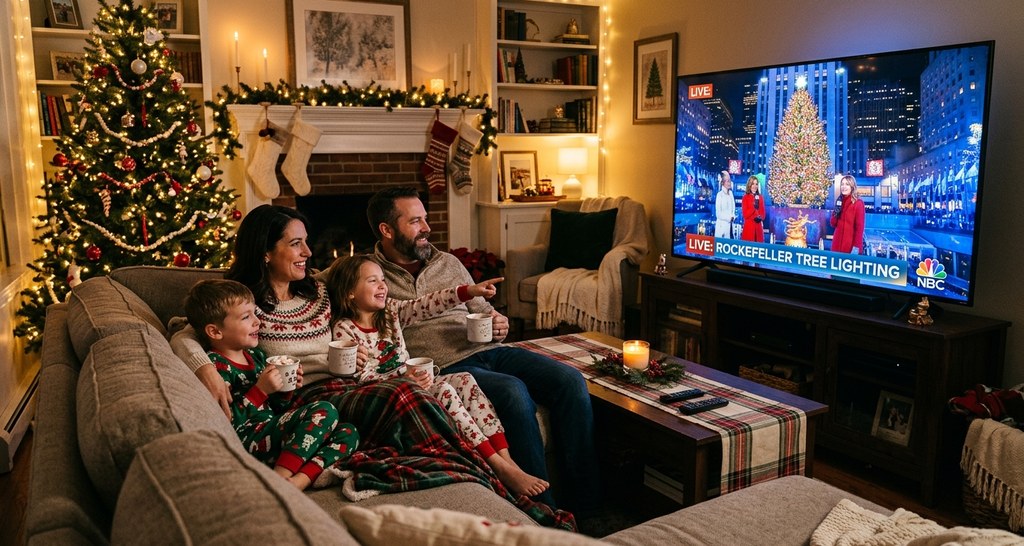
Quick Answer: How to Watch Rockefeller Tree Lighting Live
The 2026 Rockefeller Center Christmas Tree Lighting broadcasts live on NBC from 7:00-10:00 PM ET on Wednesday, December 2, 2026. Watch for free with cable, satellite, or an over-the-air antenna (tune to your local NBC affiliate). The ceremony also streams live on Peacock (NBCUniversal’s streaming service) simultaneously—both the free tier (Peacock Free) and paid tier (Peacock Premium, $7.99/month) include the live stream. No NBC account or cable login required for Peacock. The broadcast features live musical performances, celebrity hosts (typically TODAY show anchors), and the lighting moment around 9:50-10:00 PM. Some NBC affiliates air a regional pre-show hour (6:00-7:00 PM ET). After the broadcast, Peacock uploads the full ceremony for on-demand viewing. International viewers can find highlights on NBC’s YouTube and social media channels within hours of the broadcast.
Broadcast and streaming advice from our master Rockefeller Center Christmas Tree Lighting guide.
NBC Broadcast: Traditional Television
What the Broadcast Includes
NBC’s Christmas in Rockefeller Center special is a polished, 3-hour production featuring everything you’d see in person—plus exclusive behind-the-scenes content, close-ups of performers, and professional camera work that delivers better views than standing in a barricaded crowd.
7:00 PM ET: Broadcast begins
The show opens with pre-ceremony coverage: aerial shots of Rockefeller Plaza, crowd footage, interviews with tree donors (the family who grew the tree for decades), and behind-the-scenes segments showing the tree’s installation and decoration process. Hosts (typically TODAY show anchors Savannah Guthrie, Hoda Kotb, Craig Melvin, and Al Roker) introduce the evening, share historical context, and build anticipation.
7:00-9:45 PM: Musical performances and segments
The bulk of the broadcast features 8-12 musical performances from A-list artists spanning pop, country, R&B, and holiday classics. Recent years have featured Michael Bublé, Gwen Stefani, John Legend, Kelly Clarkson, Brad Paisley, and the Radio City Rockettes. Performances are interspersed with:
- Host commentary and celebrity interviews
- Profiles of the tree donor family and the tree’s journey to Manhattan
- Historical retrospectives on the tree tradition (archival footage, past ceremonies)
- Crowd reactions from Rockefeller Plaza
- Celebrity memories and personal stories about the tree
9:45-10:00 PM: Countdown and lighting moment
The final 15 minutes build to the climax. Hosts gather on stage with New York City’s mayor and special guests, the crowd chants along with the countdown, and—at the stroke of 10:00 PM (or just before)—the switch is flipped. All 50,000 LED lights and the Swarovski star illuminate simultaneously, the crowd erupts, and aerial cameras capture sweeping shots of the glowing tree, the ice rink below, and the surrounding Midtown skyline.
A closing performance (often a holiday ballad like “Silent Night” or “O Holy Night”) accompanies the glowing tree as the broadcast wraps with final words from hosts and credits.
How to Watch on NBC
Cable or satellite subscribers: Tune to your local NBC affiliate on December 2 at 7:00 PM ET. No additional login or subscription required—just turn on your TV.
Over-the-air antenna: NBC is a broadcast network available for free with an HD antenna ($15-$40 at any electronics store). Plug the antenna into your TV, scan for channels, and tune to NBC. Picture quality matches cable.
Live TV streaming services: If you subscribe to Hulu + Live TV, YouTube TV, Sling TV, or FuboTV (all $40-$80/month), NBC is included in most packages. Stream the broadcast live through the app on your TV, phone, tablet, or computer.
NBC app or website (cable login required): The NBC app (iOS, Android) and nbc.com stream live NBC programming if you log in with your cable or satellite provider credentials. This is useful if you’re away from a TV but have cable access.
Regional Pre-Show (6:00-7:00 PM ET)
Some NBC affiliates (especially in the New York tri-state area and major markets) air an additional regional pre-show hour from 6:00-7:00 PM ET, featuring local hosts, extended interviews, community segments, and crowd footage from Rockefeller Plaza. Check your local NBC station listings to see if the pre-show airs in your market.
Local Tip: Plan your visit during off-peak morning hours (6:00–8:00 AM) or after 10:00 PM for the most serene tree viewing experience.

Peacock Streaming: Watch Online
What Peacock Offers
Peacock, NBCUniversal’s streaming service, streams the tree lighting ceremony live simultaneously with the NBC broadcast (7:00-10:00 PM ET). The stream is identical to the TV broadcast—same performances, hosts, segments, and commercials. There’s no exclusive Peacock-only content, but the convenience of streaming on any device makes it ideal for cord-cutters, travelers, or anyone without cable access.
Do You Need to Pay for Peacock?
No—the tree lighting is available on both Peacock Free (the free tier with ads) and Peacock Premium ($7.99/month, fewer ads). You don’t need to upgrade to the paid tier to watch the ceremony live. Simply create a free Peacock account and stream.
Peacock tiers breakdown:
- Peacock Free: Includes the tree lighting live stream, NBC shows (on-demand), movies, and originals—all with ads. Free to sign up, no credit card required.
- Peacock Premium ($7.99/month): Fewer ads, full NBC show libraries, live sports, and exclusive originals. Includes the tree lighting, but the free tier suffices if you’re only watching the ceremony.
- Peacock Premium Plus ($13.99/month): Ad-free (mostly), downloads for offline viewing, and live TV. Overkill for just the tree lighting.
For the tree lighting alone, stick with Peacock Free—it’s free and delivers the full broadcast.
How to Watch on Peacock
- Sign up: Go to peacocktv.com or download the Peacock app (iOS, Android). Create a free account with your email address (no credit card required for the free tier).
- Find the live stream: On December 2, navigate to the Peacock homepage or search “Christmas in Rockefeller Center.” The live stream will be prominently featured starting at 7:00 PM ET.
- Watch: Click play and stream live. You’ll see the same broadcast airing on NBC, synced in real-time.
Supported devices:
- Smart TVs (Samsung, LG, Vizio—download the Peacock app from your TV’s app store)
- Streaming devices (Roku, Apple TV, Amazon Fire TV, Chromecast)
- Gaming consoles (Xbox, PlayStation)
- iOS and Android smartphones and tablets
- Web browsers (watch on peacocktv.com from a laptop or desktop)
On-Demand Replay
If you miss the live broadcast or want to rewatch it, Peacock uploads the full ceremony for on-demand viewing shortly after the broadcast ends (typically within 1-2 hours). You can watch anytime after 10:00 PM ET on December 2, or days/weeks later at your convenience.
The on-demand version is the same as the live broadcast—full performances, no edits. It’s ideal for international viewers in different time zones or anyone whose schedule doesn’t align with the 7:00 PM ET start time.
Local Tip: Plan your visit during off-peak morning hours (6:00–8:00 AM) or after 10:00 PM for the most serene tree viewing experience.
International Viewing on Peacock
Peacock is currently available only in the United States. International viewers cannot stream the ceremony on Peacock unless they use a VPN (virtual private network) to make their device appear to be in the U.S.—though this violates Peacock’s terms of service and may result in account suspension.
For international viewers without VPN access: See the YouTube and social media section below for legal alternatives.

NBC App and Website (Cable Login Required)
How It Works
If you have cable or satellite TV but aren’t near a television on December 2, you can stream the live NBC broadcast through the NBC app or website by logging in with your provider credentials.
Supported providers: Xfinity, Spectrum, DirecTV, Dish, AT&T U-verse, Verizon Fios, Cox, Optimum, and most major cable/satellite companies.
How to use it:
- Download the NBC app (iOS, Android) or visit nbc.com/live on a web browser.
- Select “Watch Live” or “Live TV.”
- When prompted, log in with your cable or satellite provider credentials (username and password).
- Once authenticated, the live NBC stream will load. You can watch the tree lighting in real-time, just as you would on cable.
Best for: People with cable access who are traveling, away from home, or want to watch on a mobile device (phone, tablet, laptop).
Limitation: Requires an active cable/satellite subscription. If you’re a cord-cutter without cable, use Peacock Free instead (no login required).
Local Tip: Plan your visit during off-peak morning hours (6:00–8:00 AM) or after 10:00 PM for the most serene tree viewing experience.
YouTube and Social Media: Highlights and Clips
What NBC Posts Online
NBC typically posts highlight clips from the ceremony on YouTube, Facebook, Twitter, and Instagram within hours of the broadcast ending. These clips include:
- The lighting moment: A 1-3 minute video showing the countdown, the switch flip, and the tree illuminating—the core moment everyone tunes in for.
- Individual performances: Full-length videos of each musical performance, allowing you to watch specific artists without sitting through the entire 3-hour broadcast.
- Behind-the-scenes footage: Interviews with performers, tree donor profiles, and installation segments.
- Highlight reels: 5-10 minute compilations of the best moments from the ceremony.
These clips are free to watch, require no login or subscription, and are accessible worldwide (no geographic restrictions).
How to Find Clips
YouTube: Search “Rockefeller Tree Lighting 2026” or visit NBC’s official YouTube channel (youtube.com/nbc). Clips appear within 1-3 hours of the broadcast ending.
Facebook: Follow NBC’s official Facebook page (@NBC) and TODAY show page (@TODAYshow). Clips are posted the same evening or the next morning.
Twitter/X: Follow @NBC and @TODAYshow. Short clips and GIFs are posted in real-time during the broadcast, with longer clips posted afterward.
Instagram: Follow @nbc and @todayshow for short-form vertical videos optimized for mobile viewing.
Best for International Viewers
If you live outside the U.S. and can’t access NBC or Peacock, YouTube and social media are your best legal options. While you won’t get the full 3-hour broadcast, you’ll see the lighting moment, top performances, and highlights—the core content most people care about.
Some international broadcasters (NBC affiliates in Canada, select networks in Europe) air segments or highlights from the ceremony, so check local listings in your country.
Local Tip: Plan your visit during off-peak morning hours (6:00–8:00 AM) or after 10:00 PM for the most serene tree viewing experience.
Viewing Party Strategies
Host or Attend a Hotel Viewing Party
If you’re staying in Midtown Manhattan during the tree lighting, consider hosting a viewing party in your hotel room or attending one at a local bar/restaurant. You’ll combine the cozy TV experience with the energy of being near Rockefeller Center.
Sample viewing party setup:
- Book a Midtown hotel room with a TV (most hotels offer NBC)
- Order room service or bring takeout from a nearby restaurant
- Open a bottle of wine or make holiday cocktails
- Watch the broadcast in pajamas, then walk 5-10 minutes to Rockefeller Center to see the tree in person after the ceremony ends (it’s lit until midnight)
This strategy gives you the best of both worlds: warm viewing with good camera angles, followed by in-person tree viewing without the 6-hour street-standing ordeal.
Midtown Bars and Restaurants Showing the Ceremony
Many Midtown bars and restaurants show the tree lighting on their TVs, creating a festive communal atmosphere. Popular spots include:
- Rock Center Café (if you can’t get a window table with tree views, watching the broadcast from an interior table is a solid backup)
- Sports bars near Times Square or Rockefeller Center (Jack Doyle’s, The Pennsy, Stout NYC)
- Hotel bars (The Peninsula’s rooftop bar Salon de Ning, Bar SixtyFive at 30 Rock, Lotte Palace lobby bar)
Call ahead to confirm they’ll be showing the broadcast and ask if reservations are needed. Arrive by 6:30 PM to secure good seating.
Viewing Party at Home (If You’re Not in NYC)
For viewers outside New York, host a tree lighting viewing party at home:
- Invite friends or family who love NYC, the holidays, or musical performances
- Serve holiday-themed food and drinks (hot chocolate, eggnog, cookies, appetizers)
- Decorate with Christmas lights and a small tree to set the mood
- Play holiday music before the broadcast starts
- Make it an annual tradition—the tree lighting becomes a cozy kickoff to the holiday season
Local Tip: Plan your visit during off-peak morning hours (6:00–8:00 AM) or after 10:00 PM for the most serene tree viewing experience.
Why Watching on TV is Often Better Than Attending
For many people, watching the ceremony on TV delivers a better experience than attending in person. Here’s why:
Better views: Professional cameras capture close-ups of performers, the tree lighting moment in high-definition, and aerial shots of Rockefeller Plaza you’d never see from a barricaded street position. Most in-person attendees see the tree from 100+ feet away, partially obstructed by crowds and barricades.
Comfort: You’re warm, seated, with access to bathrooms, food, and drinks. No standing for 4-6 hours in 35°F weather pressed against strangers.
Better audio: The broadcast mixes performances professionally, balancing vocals and instruments. In-person, you’re hearing whatever filters through crowd noise and distance—often tinny or muffled.
Behind-the-scenes content: The broadcast includes segments you won’t experience in person: tree donor profiles, historical retrospectives, performer interviews, and installation footage. These add context and depth to the tree tradition.
You can pause, rewind, or rewatch: With Peacock’s on-demand replay, you control the experience. Miss a moment? Rewind. Need a bathroom break? Pause. Want to rewatch a performance? Do it.
No crowds, no stress: You avoid the NYPD barricades, street closures, subway crush, and hours of standing. The TV experience is relaxing; the in-person experience is endurance.
You can still see the tree in person afterward: After the broadcast ends at 10:00 PM, walk over to Rockefeller Center (if you’re nearby) or visit the next day. The tree is lit daily through mid-January, so you’re not missing out—you’re just separating the ceremony from the tree viewing into two manageable experiences.
Local Tip: Plan your visit during off-peak morning hours (6:00–8:00 AM) or after 10:00 PM for the most serene tree viewing experience.
Technical Tips for Streaming
Ensure Smooth Streaming
Test your internet connection: Streaming HD video requires at least 5-10 Mbps download speed. Test your speed at speedtest.net before December 2. If your connection is slow, close other apps/devices using bandwidth (pause downloads, ask family to pause streaming on other devices).
Use wired ethernet if possible: If you’re streaming on a laptop or desktop, plug directly into your router with an ethernet cable. Wired connections are more stable than Wi-Fi for live streaming.
Position close to your Wi-Fi router: If using Wi-Fi, sit as close to the router as possible to maximize signal strength. Move to a different room if your current spot has weak Wi-Fi.
Close unnecessary browser tabs and apps: Free up device memory and processing power by closing apps you’re not using. This prevents buffering and lag during the stream.
Restart your streaming device: Before the broadcast starts, restart your TV, streaming stick, or computer. This clears cached data and improves performance.
What to Do If the Stream Buffers or Lags
Lower video quality: Peacock and most streaming apps let you manually select video quality (auto, 1080p, 720p, 480p). If the stream buffers, drop to 720p or 480p—the picture will be slightly less sharp, but playback will be smoother.
Refresh the stream: Close the app or browser tab, wait 10 seconds, then reload. This often resolves buffering issues.
Switch to a different device: If your smart TV lags, try streaming on your laptop or tablet and casting to the TV via Chromecast or AirPlay.
Watch on-demand after the live broadcast: If live streaming is too frustrating, wait until the ceremony uploads to Peacock on-demand (usually within 1-2 hours). On-demand playback is more stable than live streaming because it’s not subject to real-time server load.
Casting to Your TV
If you’re watching on a phone, tablet, or laptop but want to view on a big screen, use casting:
Chromecast: If you have a Chromecast dongle or Chromecast-enabled TV, open the Peacock app or NBC app, tap the cast icon, and select your TV. The stream will play on your TV while your phone acts as a remote.
AirPlay (Apple devices): If you have an Apple TV or AirPlay-compatible smart TV, swipe down to open Control Center on your iPhone/iPad, tap Screen Mirroring, and select your TV. Everything on your device’s screen will display on the TV.
HDMI cable: The most reliable (and old-school) method. Connect your laptop to your TV with an HDMI cable, set the TV to the correct HDMI input, and play the stream on your laptop. The picture and audio will display on the TV with zero lag or buffering.
Local Tip: Plan your visit during off-peak morning hours (6:00–8:00 AM) or after 10:00 PM for the most serene tree viewing experience.
Common Mistakes to Avoid
- Assuming you need to pay for Peacock Premium: The free tier (Peacock Free) includes the live stream. Don’t pay unless you want other Premium content.
- Not testing your streaming setup ahead of time: Don’t wait until 7:00 PM on December 2 to discover your app doesn’t work or your Wi-Fi is slow. Test 1-2 days early.
- Forgetting to create a Peacock account in advance: Sign up before December 2 so you’re ready to stream the moment the broadcast starts.
- Assuming international viewers can use Peacock: Peacock is U.S.-only. International viewers should use YouTube clips posted after the broadcast.
- Missing the on-demand replay option: If you miss the live broadcast, Peacock uploads the full ceremony within hours. You don’t have to wait a year to watch.
- Choosing the wrong viewing time: The ceremony runs 7:00-10:00 PM ET. If you live in a different time zone, adjust accordingly (4:00-7:00 PM PT, 12:00-3:00 AM GMT).
Frequently Asked Questions
What channel is the Rockefeller Tree Lighting on?
NBC. Tune to your local NBC affiliate on cable, satellite, or over-the-air antenna. The ceremony airs Wednesday, December 2, 2026, from 7:00-10:00 PM ET.
Can I watch the tree lighting online for free?
Yes. Stream live on Peacock Free (no subscription required) or watch highlight clips on YouTube after the broadcast. Both are free.
Do I need Peacock Premium to watch the tree lighting?
No. The free tier (Peacock Free) includes the live stream. Peacock Premium is optional and offers additional content unrelated to the tree lighting.
What time does the tree lighting start?
The broadcast starts at 7:00 PM ET. The actual lighting moment happens around 9:50-10:00 PM ET after performances and a countdown.
Can international viewers watch the ceremony?
NBC and Peacock are U.S.-only. International viewers can watch highlight clips on YouTube, Facebook, and Twitter posted after the broadcast. Some international NBC affiliates may air segments—check local listings.
Will the ceremony be available on-demand after it airs?
Yes. Peacock uploads the full ceremony for on-demand viewing within 1-2 hours of the broadcast ending. You can watch anytime after December 2.
What if I don’t have cable or Peacock?
Use an over-the-air HD antenna ($15-$40) to watch NBC for free, or sign up for Peacock Free (no cost, no credit card required) and stream online.
Can I watch on my smart TV?
Yes. Download the Peacock app from your smart TV’s app store (available on Samsung, LG, Vizio, and most major brands). Roku, Apple TV, Fire TV, and Chromecast also support Peacock.
Discover all visitor tips in our complete Rockefeller tree guide.